Knotz.Link
Web application to find articles in line with the Catholic faith

Project Brief
Ksawery Knotz, a monk who specializes in spiritual support for married couples, commissioned me to create an app to promote articles in line with the Church’s teachings. The project was designed to enable married couples who had completed the retreat to continue their spiritual growth through easier access to carefully selected content.
As a UX/UI designer, my goal was to create an intuitive and engaging interface that would make it easier for users to navigate and use the application’s resources. I focused on user research, user needs analysis and usability testing to ensure an optimal experience. The result is an app that not only promotes valuable content, but also supports the long-term spiritual development of users.
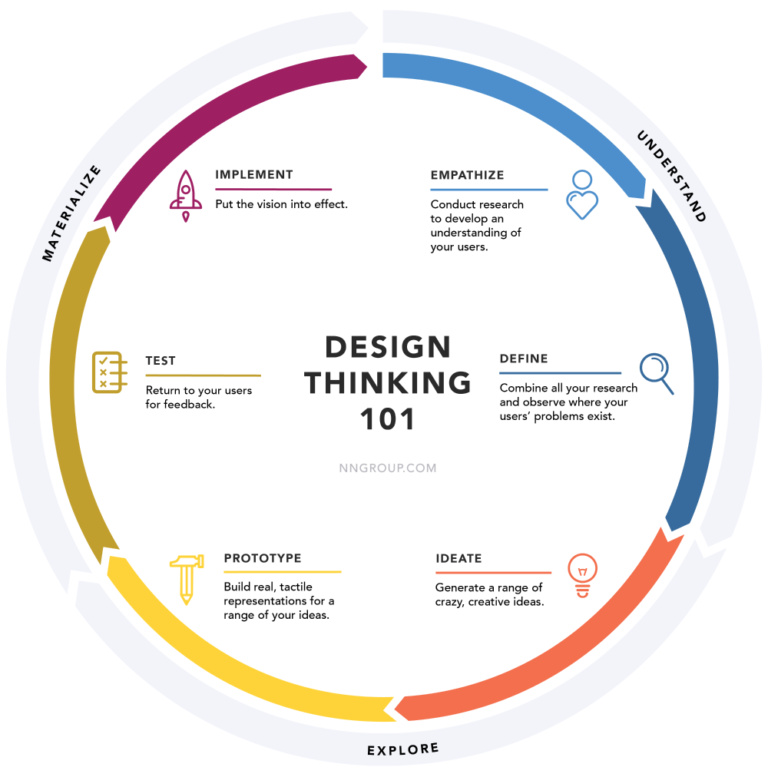
Road map
Research
Research is a key step in the UX/UI design process, as I make future design decisions based on it. Through thorough research I can understand the problems, goals and climate of the community the product will be aimed at. In this phase, I collect data that enables me to detailed market analysis, identify user needs and identify trends and behavior patterns.
Research objectives:.
- Understanding the target audience: I focus on understanding the specifics of the target audience interested in online spiritual development.
- Defining application functions: I define the necessary functions that the app should offer to meet users’ expectations.
- Understanding “Pain Points ”: I identify the difficulties of searching for faith information on the Internet in order to propose effective solutions.
- Principal’s Needs: I understand the principal’s expectations, including possible ways to moderate content on the site.
- Information categorization: I study how users categorize and organize information, which helps create intuitive interfaces.
- Topics and conversions: I analyze the most needed topics and ways that will increase conversions on the site.
Research Methods:.
- Desk Research: I conduct secondary research to gather market and competitive data.
- Competitive Analysis: I conduct detailed analysis of competitive activities to identify best practices and avoid their mistakes.
My research approach is comprehensive and thorough, allowing me to create products that are both functional and tailored to real user needs. As a result, each design phase is based on a solid foundation, which guarantees the quality and effectiveness of the final product.
Desk Research
- Target Group.
Fr. Xavier’s target group is Catholics mainly from generation X who are in a constant relationship. A characteristic of this group is the crisis that occurs in their lives. These people tend to be conservative attached to traditional values.
Themes.
People who contact Fr. Xavier are looking for answers to questions about faith, parenting, crisis, intimacy, relationships, communication and sexuality.
Moderation Opportunities.
The website will be moderated only by Fr. Xavier, therefore it will be necessary to design a proficient Work Flow.
Conversion possibilities.
Due to the theme of the site, it is not possible to implement classical monetization systems. The only possibility is to collect voluntary donations from visitors.
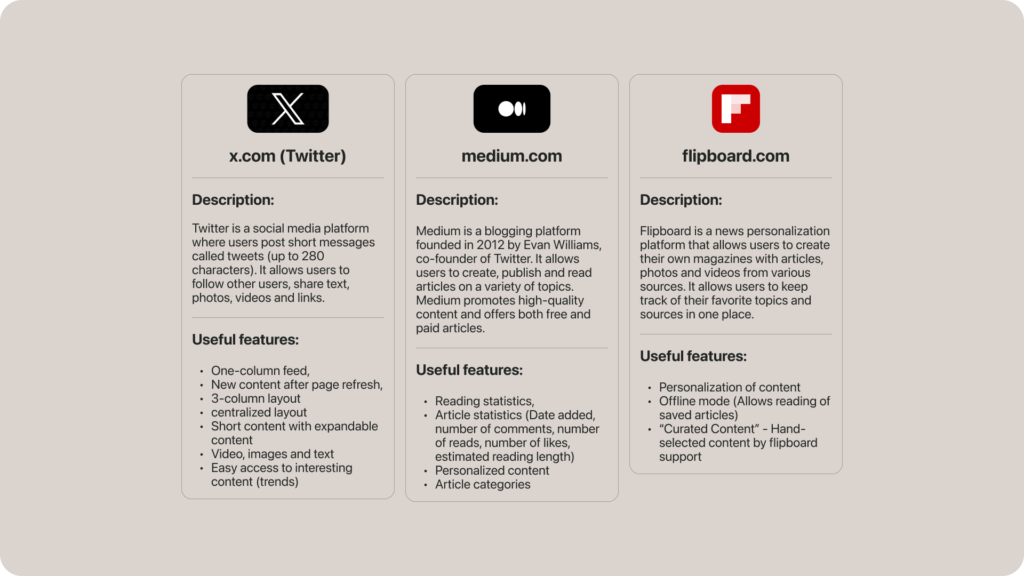
Competitor analysis
Another method is competitive analysis. This is an essential step in UX design. It keeps me from reinventing the wheel. For the indirect competition analysis, I chose:
Synthesis
It’s time to organize all our information
Data Analysis: Segregating and categorizing the collected information.
Creating Personas: Developing profiles that represent typical users based on the collected data.
Mapping User Paths: Drawing user paths and scenarios that show how users interact with a product or service.
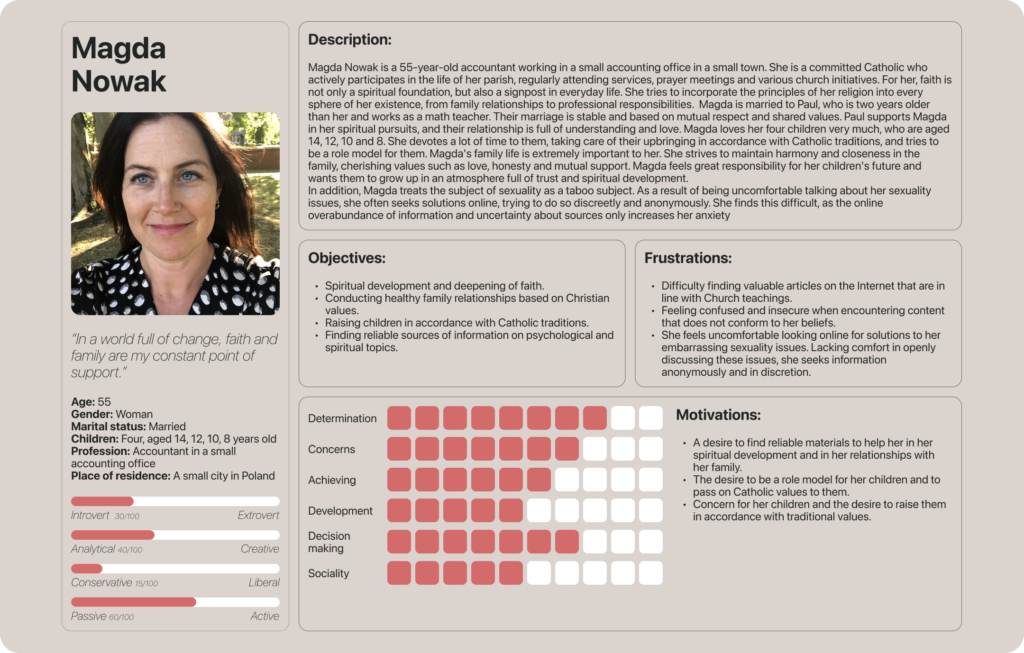
Persona
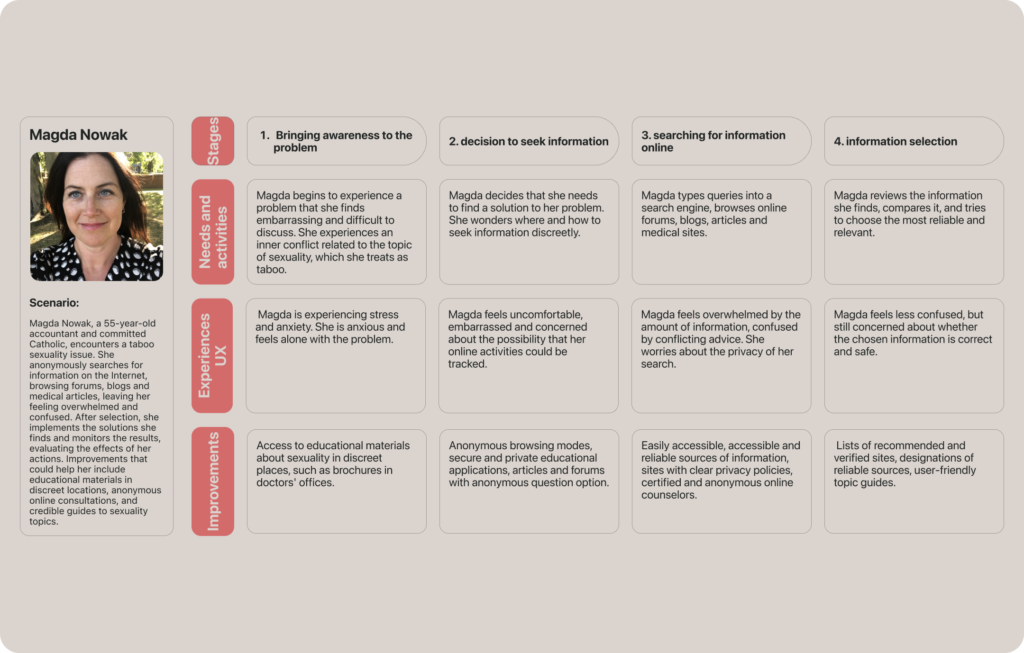
I needed to better understand the users so I prepared a person that reflected the target of the application. It was created based on interviews with Fr. Xavier about the target audience that uses his services. I used it every time I needed to look at a problem from the perspective of future users. Thanks to persona, I understood the characteristic features of Generation X. Magda’s persona allowed me to understand people who want to deepen their knowledge in the field under discussion. They are looking for their identity in a liberal society.
User Journey Map
This tool allows understanding the thinking of users who want to solve their problems. It allows the designer to better empathize with the user. In addition, it allows you to diagnose Pain Points that design should solve.
Brain storm
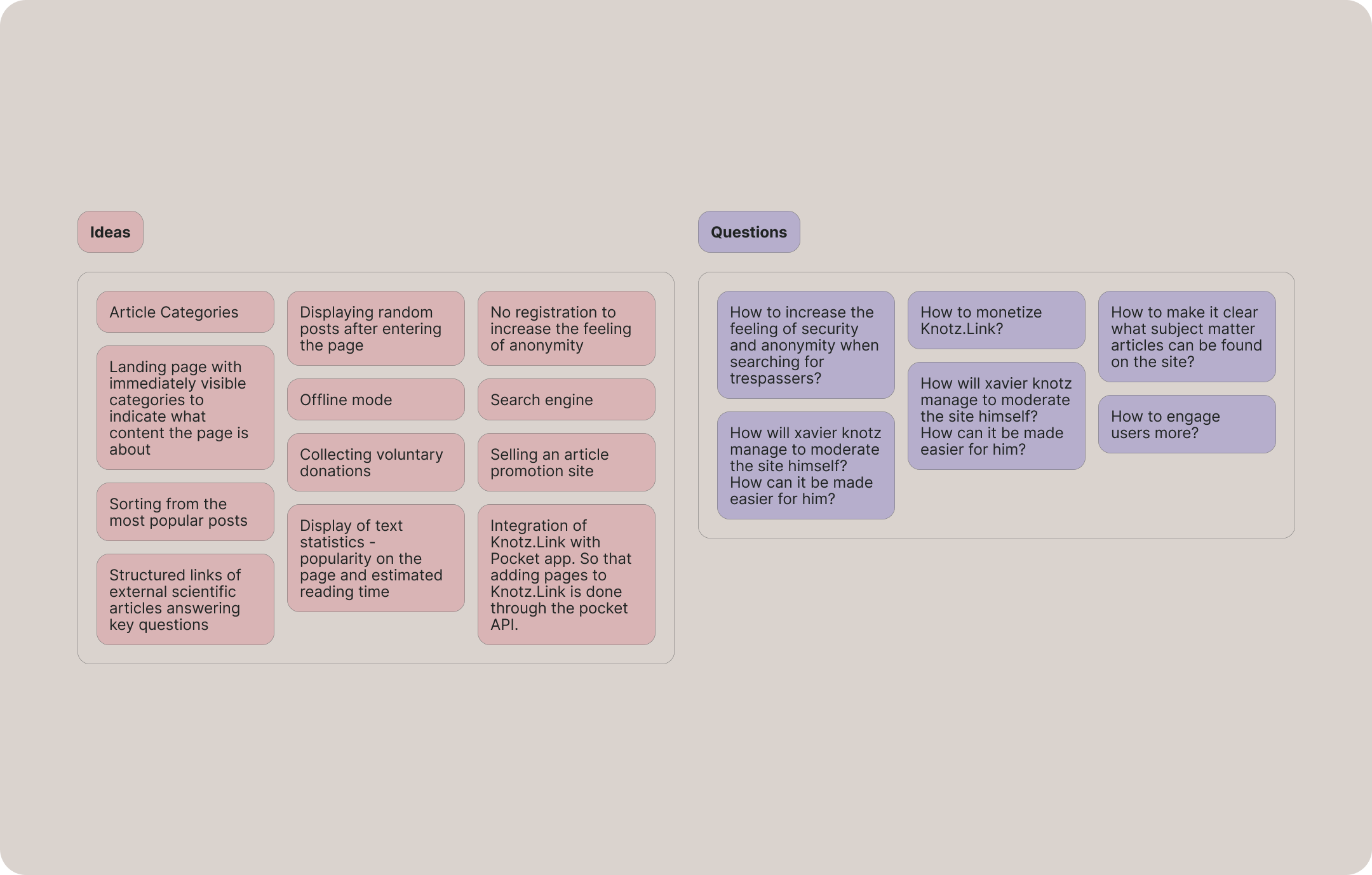
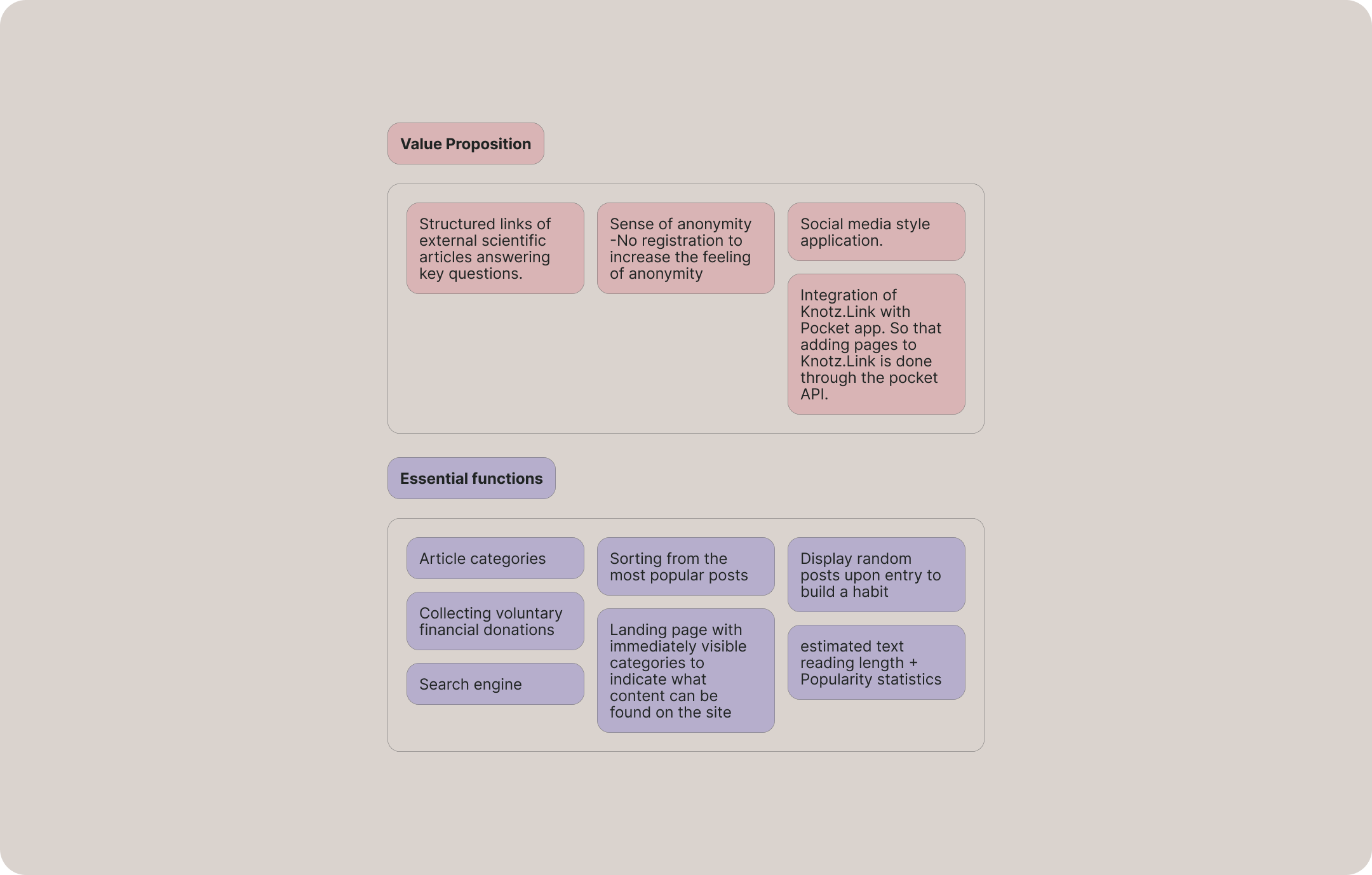
I conducted Brainstorming in the FigJam tool. At this stage, I jotted down all my thoughts. The purpose of this intellectual process was to generate ideas to increase the functionality of the application. This process also resulted in solving Pain Points of my persona. Next, I focused on finding the key Value Proposition, that is, features necessary for the user from the market point of view. The Value Proposition justifies the point of creating the application.
User Flow
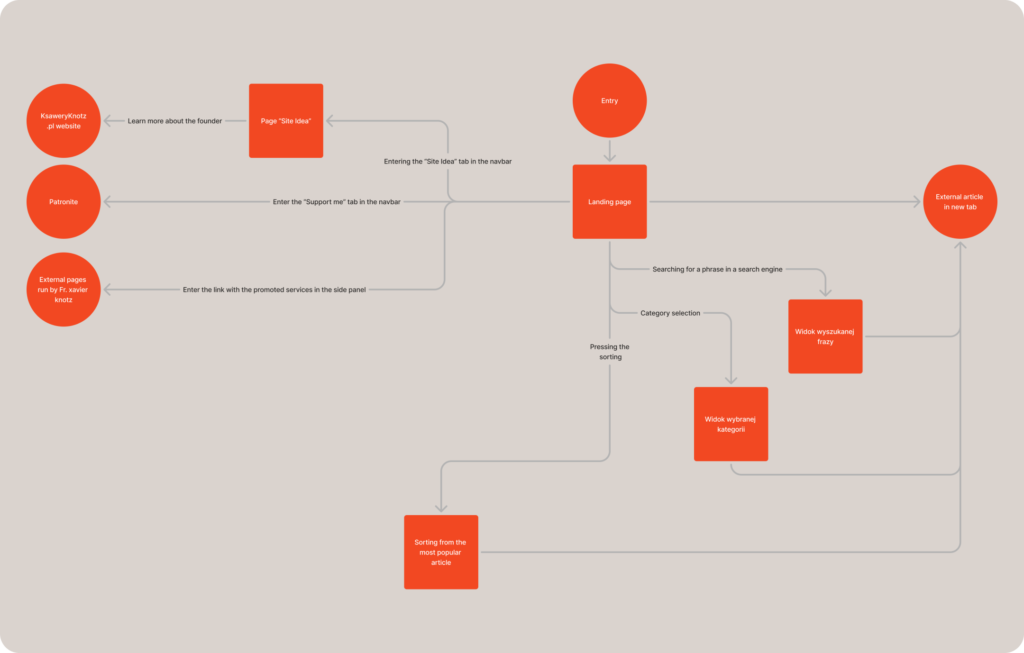
With a Value Proposition in place, I was able to move on to designing the User Flow, which is the user’s path to achieve specific goals.
In the User Flow below, I focused on two key user goals:
Finding and navigating to an external research article.
Moving to pages related to Fr. Xavier.naukowego.
Przejście do stron powiązanych z o. Ksawerym.
Sketches
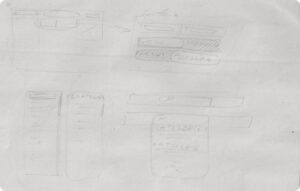
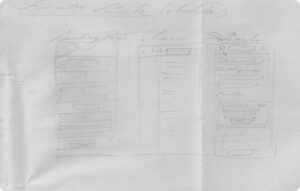
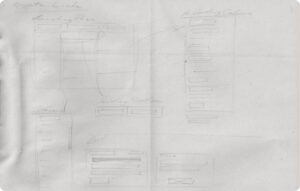
The sketching process is a key element in UX/UI design, helping to visualize initial ideas and identify problems before advanced prototyping begins.
Paper prototyping
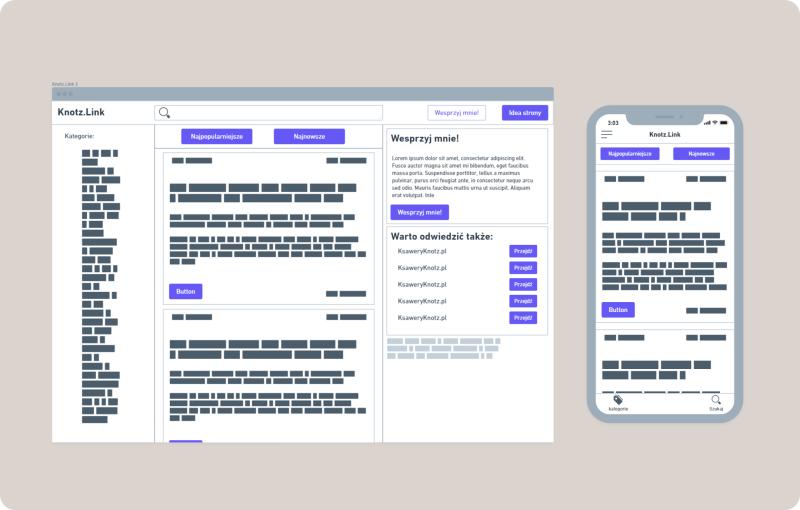
After creating sketches, I selected the best ideas and constructed a prototype. To do this, I used the Whimsical application, which has a ready-made library of elements for quickly assembling interfaces. Thanks to this prototyping, I was able to check how the user flow would look in practice, materialize my ideas at a certain level of accuracy, and test different solutions to problems.
Visual identity
With a prototype already in place, I proceeded to design a visual identity. I created a logo with the client’s initials and decided on a pneumorphic style, which fits perfectly with the theme of the website. I also designed a text hierarchy so that users could intuitively navigate the site. I chose the San Francisco font, which, due to its lightness, works perfectly with neumorphism. I described this process in detail on my project on behance to which I refer you.
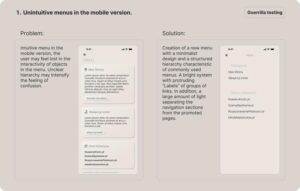
Guerrilla testing
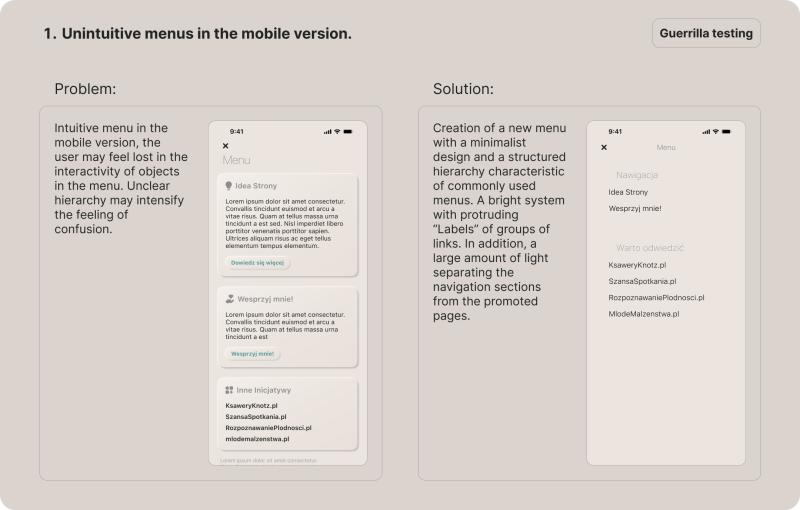
Guerrilla testing is a method that involves engaging people around you to complete tasks using a prototype presented and observing their behavior. The key is to present the goal they need to achieve, and not give hints as they go along. A good interface should be intuitive, allowing users to find out for themselves how it works. These principles enable a reliable test.
In my case, I tested the application for two purposes:
Finding an article on the topic of depression by selecting the appropriate category.
Gaining more information about Knotz.Link.
WCAG test
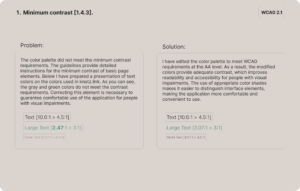
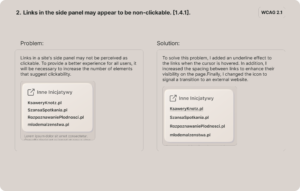
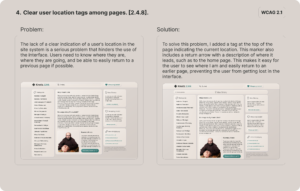
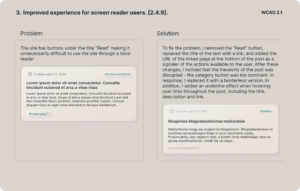
The next step is to test the application for compliance with WCAG (Web Content Accessibility Guidelines). This will ensure that the application has the necessary accessibility. In the context of UX. Accessibility refers to the design of products, interfaces and services to be usable by the widest possible range of users, including people with various disabilities.
Accessibility in applications is necessary to ensure that all users have equal access to information and functionality. Adherence to WCAG not only improves usability, but also increases the reach and inclusiveness of the product.